
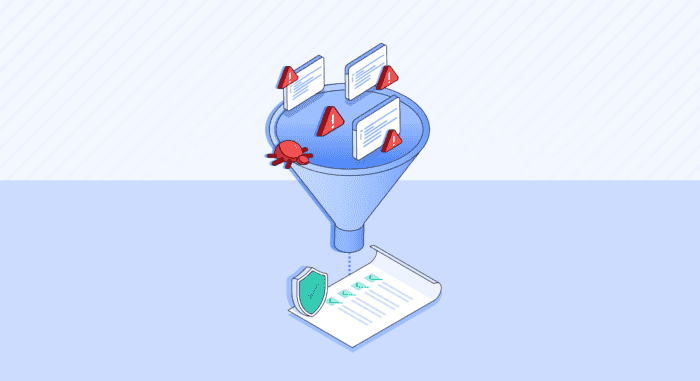


Risk-based prioritization solves one problem: knowing what to fix first. It doesn’t solve the harder operational question: how do you actually manage the work of fixing it?
Even with defined SLAs and ownership mapping, organizations still need a structured way to run coordinated remediation efforts. When a critical vulnerability response lands, or when leadership asks for a plan to clear a specific class of risk before an audit, teams need the tooling to manage that effort inside the security platform. Without this, scope is difficult to define, teams are difficult to align, and progress is impossible to track. There’s no single view that connects the goal, the violations, the people, and the timeline.
This is the operational gap that Remediation Campaigns fill.
Scope Remediation Around Time-Bound Goals, Not Ad Hoc Efforts
A campaign is a time-bound, scoped remediation initiative built on top of your existing violation data. You define the goal: eliminate all exploitable critical SCA findings before the Q3 audit; clear secrets exposure in CI/CD pipelines by end of sprint; remediate the OWASP Top 10 findings across your three highest-risk repos. The campaign is the operational container to manage and track the effort.
What distinguishes a campaign is the combination of scope, ownership, timeline, and progress tracking in a single place. A campaign has:
- A defined set of violations
- Assigned members who own the work
- A remediation due date
- A live progress view as findings are resolved
- A lifecycle: Planned, Active, Paused, Canceled, Completed
When remediation is organized as a campaign, it has a finish line. The goal is to close it, not maintain it. That’s a different operational posture than a standing backlog, and it’s the structure that makes focused burn-down efforts actually manageable.
Running a Remediation Campaign in Cycode
Set the Time-Bound Goal
When you create a campaign in Cycode, you start by aligning it with a specific initiative and objective. For example, if your objective is to burn down CVEs in a project before an audit, you could create a campaign Product-Critical-SCA-Q3-Audit. If you want to focus remediation effort in a sprint to address exposed secrets, you could create a campaign Secrets-Exposure-CI-Sprint-X. Or if there is a critical zero-day like Log4j, you can track remediation via a campaign like Log4j-remediation.
A key part of the objective is the due date and status of the campaign: Planned (not yet started) or Active (work underway). Status moves through the lifecycle as the campaign progresses, Paused if the work is blocked, and Completed when the goal is met. Each state transition is logged in Cycode’s audit trail.
Define the Scope
The Violations step is where the campaign gets its working set. You can leverage the full set of Cycode filters to refine your focus to specific scanners and violation types (Secrets, SCA, SAST, IaC, Container Security, Cloud Security, etc.), risk score, severity, exploitability assessment, repository, package, status, and more.
The violations you select are linked to the campaign via a campaign label. This label is what keeps the scope dynamic: add the label to a violation to bring it into the campaign; remove it to take it out. For teams running large-scale initiatives where manual selection isn’t practical, workflow automations can apply the campaign label automatically to any violation matching your criteria, including violations detected after the campaign is created. For example, if the scope of affected assets changes as a supply chain attack evolves, you can dynamically add violations to the campaign.
Assign Owners
The Members step lets you add collaborators directly: security engineers, developers, team leads, or anyone with remediation responsibility. You can add members when you first create the campaign and add or remove members later.
Connect to Issue Tracking
Campaign-specific issue tracking lets you tie the campaign’s violations to a specific ticketing system and project set. This keeps ticketing scoped to the campaign’s goal rather than inheriting global defaults. If a violation is included in more than one campaign, Cycode aggregates the issue tracking settings.
Track Progress
Once the campaign is active, the detail page gives you an Overview (campaign-level progress, status, due date, collaborator count) and a Violations tab with the full working set. Progress is calculated against the violations in scope and updates as findings are resolved. The Violations tab supports the same filtering and bulk actions as the main Violations page, so working from within a campaign doesn’t require context-switching.
Scoped and Strategic, Not Ad Hoc
Campaigns are designed to be short, focused, and closeable. They complement but do not replace continuous monitoring or long-running security programs. A campaign is the right container for a specific risk reduction goal with a clear scope and a defined endpoint.
That constraint is the point. Teams that get the most value from campaigns tend to treat them like sprints: tight scope, clear ownership, defined done, then close and move to the next initiative. The discipline of scoping tightly and setting a realistic due date is what makes progress measurable and the effort sustainable.
For security leaders, a closed campaign is also concrete evidence. Not “we have 12,000 open violations.” Rather, “we ran four remediation campaigns last quarter and cleared 340 critical findings ahead of the audit.” That’s the kind of operational record that translates security work into business outcomes.
To see how your team can leverage remediation campaigns in Cycode, request a demo.


